Smarter recordings, every time
Property names, vendor names and the terms your teams actually use matter. Kenli can now remember the correct spelling and carry it into the recordings that follow.
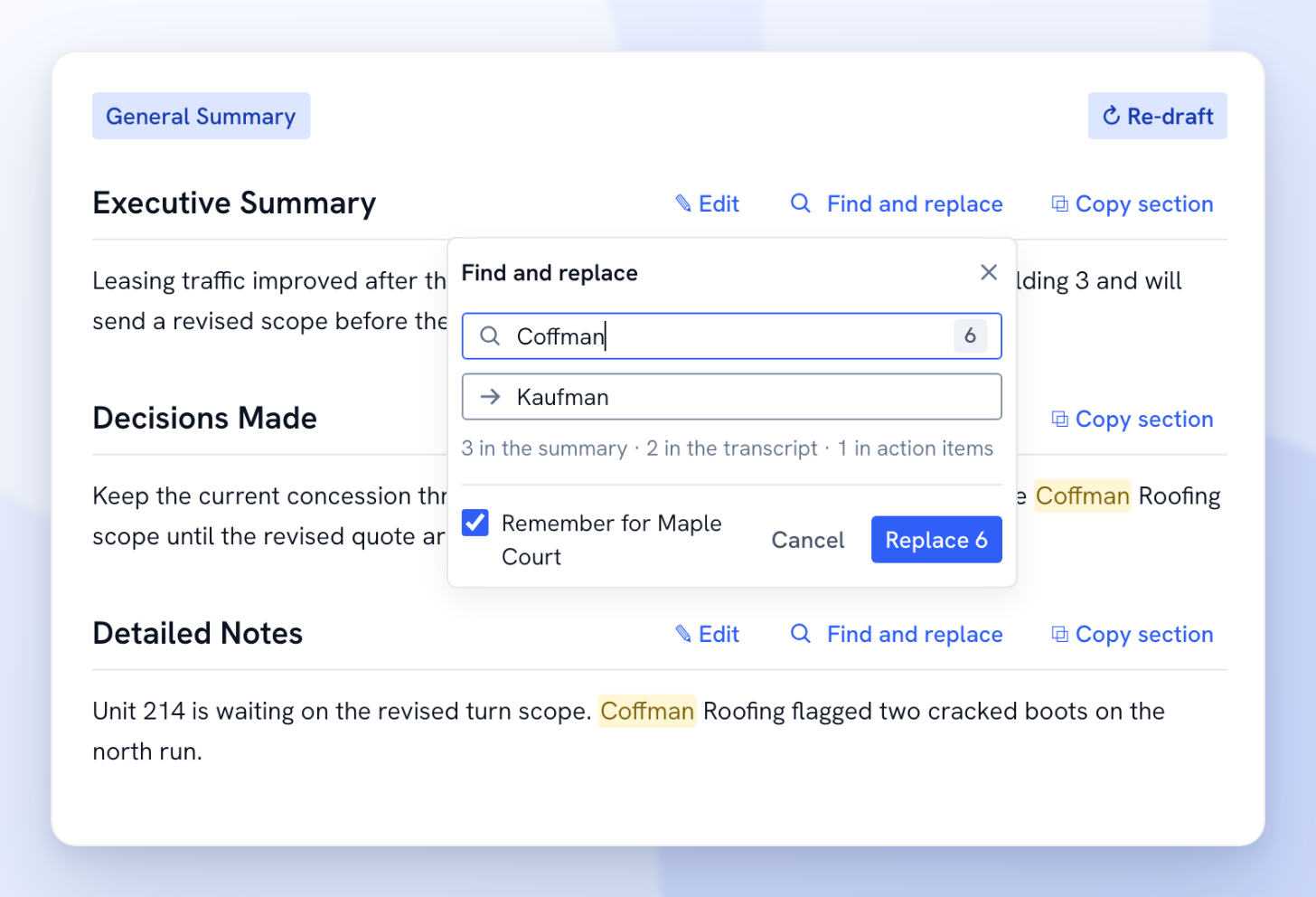
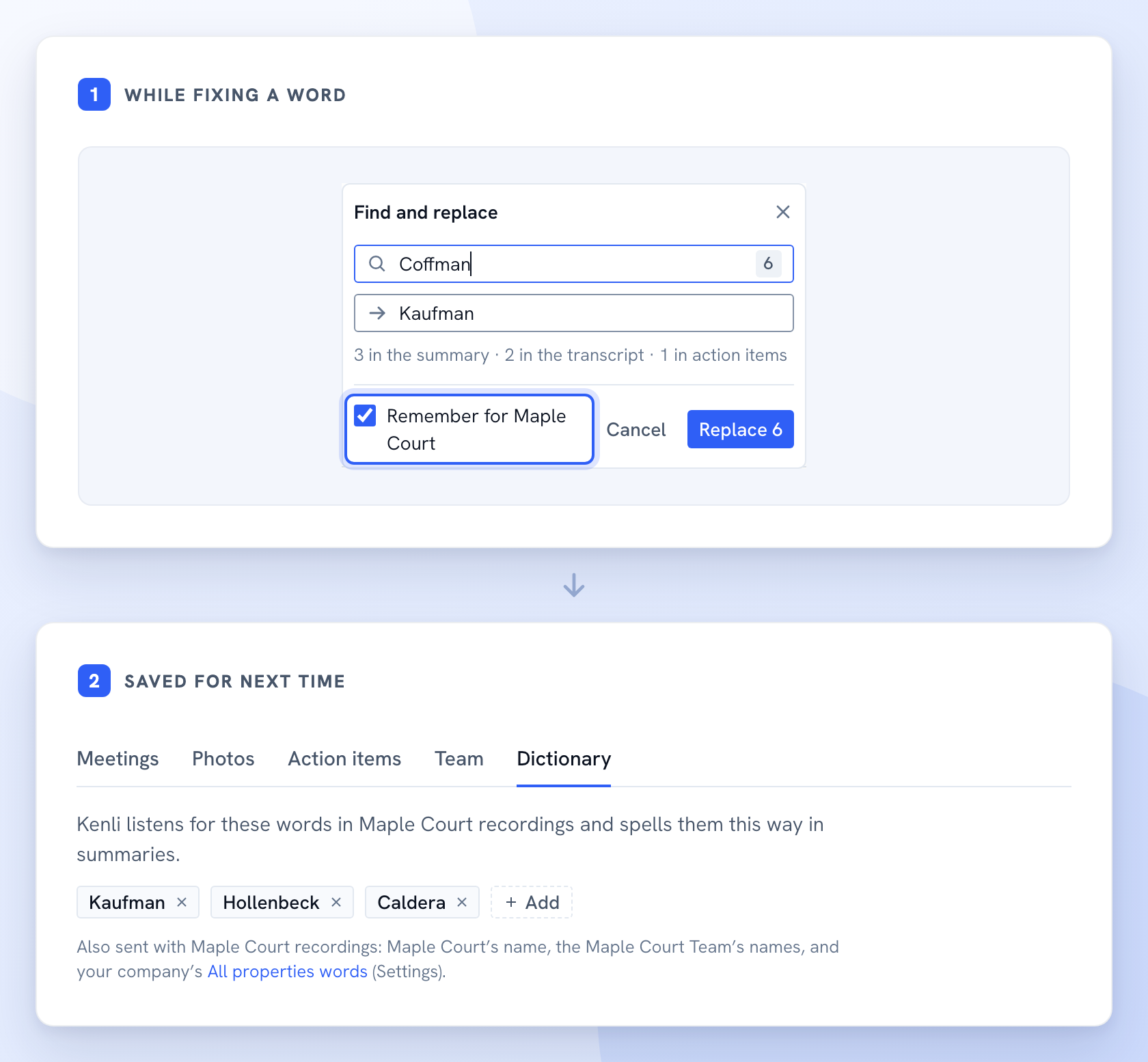
Tick Remember when you fix a word, and Kenli saves it to that property’s Dictionary.
It works across your recordings
Whether you record on your phone or computer, Kenli uses your property’s saved terms to improve recognition and spelling in future recordings. No additional setup needed.
When you correct a term, tick Remember for your property and it is saved to that property’s Dictionary for next time.
The right words for each property
Each property keeps its own Dictionary, so Kenli uses the terms that belong to that property when it works on that property’s meetings.
Anyone with access to the property can see the list and add to it. Company Admins keep a set of common terms that applies across every property.
Kenli also sends the property’s own name and its Team members’ names when it works on a meeting there.
Where to find it
On the web, tick Remember for your property when you use Find and replace, or open a property’s Dictionary tab to see and manage the saved terms.
The right terms, meeting after meeting.
Keep each property’s names and terminology consistent from one meeting to the next.